

We’re in the midst of an AI craze. People are vibe-coding apps, agents are writing emails, content is being bulk-produced in two clicks, and everyone is talking about SaaS dying.
With the tech landscape changing this quickly, and teams already juggling several subscriptions, it’s only natural to start having that annual “should we switch to something cheaper?” conversation.
So, if all of this makes you wonder whether monday.com is still worth the price, you’re in the right place. Let’s talk about it.
You’re not just paying for a task manager anymore
monday.com‘s 2026 pricing:
- Free – up to 2 users
- Basic – $9/user/month
- Standard – $12/user/month
- Pro – $19/user/month
- Enterprise – custom pricing
All are billed annually; on top of that, there is a new AI credit system, priced separately alongside seats, which makes the platform one of the highest costs per seat.
But the bigger question isn’t simply whether monday.com is too expensive. It’s: what exactly are you getting for that price?
In 2026, monday.com is gradually repositioning itself from a system that helps you organize and track work into software that actually does portions of that work, using AI agents that operate directly inside your existing data, tasks, and workflows.
That changes the value proposition quite a bit. monday.com isn’t really competing on being a UX-friendly work management tool. It’s positioning itself as the live data layer that monday-native AI agents, as well as other AI tools in your stack, can plug into.
That’s a fundamentally different product from the one you were paying for two years ago.

When implemented effectively, monday.com AI can become an active component of workflow automation, handling routine tasks, streamlining processes, and improving operational efficiency. The platform also supports the integration of external AI tools through MCP, making it relatively straightforward to extend AI capabilities while maintaining data security within the workspace.
Tommy Conroy
Training Program Lead
From boards to AI that actually does the work
The platform has traditionally bet on its strong design philosophy and visual-first approach. Boards, colors, and views are intuitive from the moment you open the platform, reducing the adoption time compared with similar tools on the market.
But on top of that, monday.com has been investing heavily in developing its own AI capabilities. Its AI suite has grown well beyond a single, standalone chatbot.
Sidekick is the conversational core, a context-aware assistant that understands what’s actually happening across your boards, statuses, and docs, and can now do far more than answer questions: it builds dashboards, creates sub-items, connects columns, and executes changes across your account just from plain-language requests.
Vibe takes the same “just describe it” philosophy and applies it to building: instead of configuring a board or dashboard by hand, you describe the structure or workflow you need and Vibe generates it, no code required, a full project dashboard pulling from three boards can go from idea to working tool in minutes.
Underneath both sits AI Blocks, modular components teams can embed directly into workflows to handle the ambiguous parts of work, reading and summarizing text, classifying requests, extracting key fields, proposing next actions, turning what used to be manual judgment calls into a repeatable, automated step.
And layered over all of it are monday agents, built to eventually operate across entire functions of a business, from scheduling and research to tracking action items end-to-end.
Together, these four pieces are less a feature list and more a strategy. monday.com isn’t adding AI on top of the product anymore; it’s rebuilding the product so AI runs through it.
Becoming your AI’s context layer
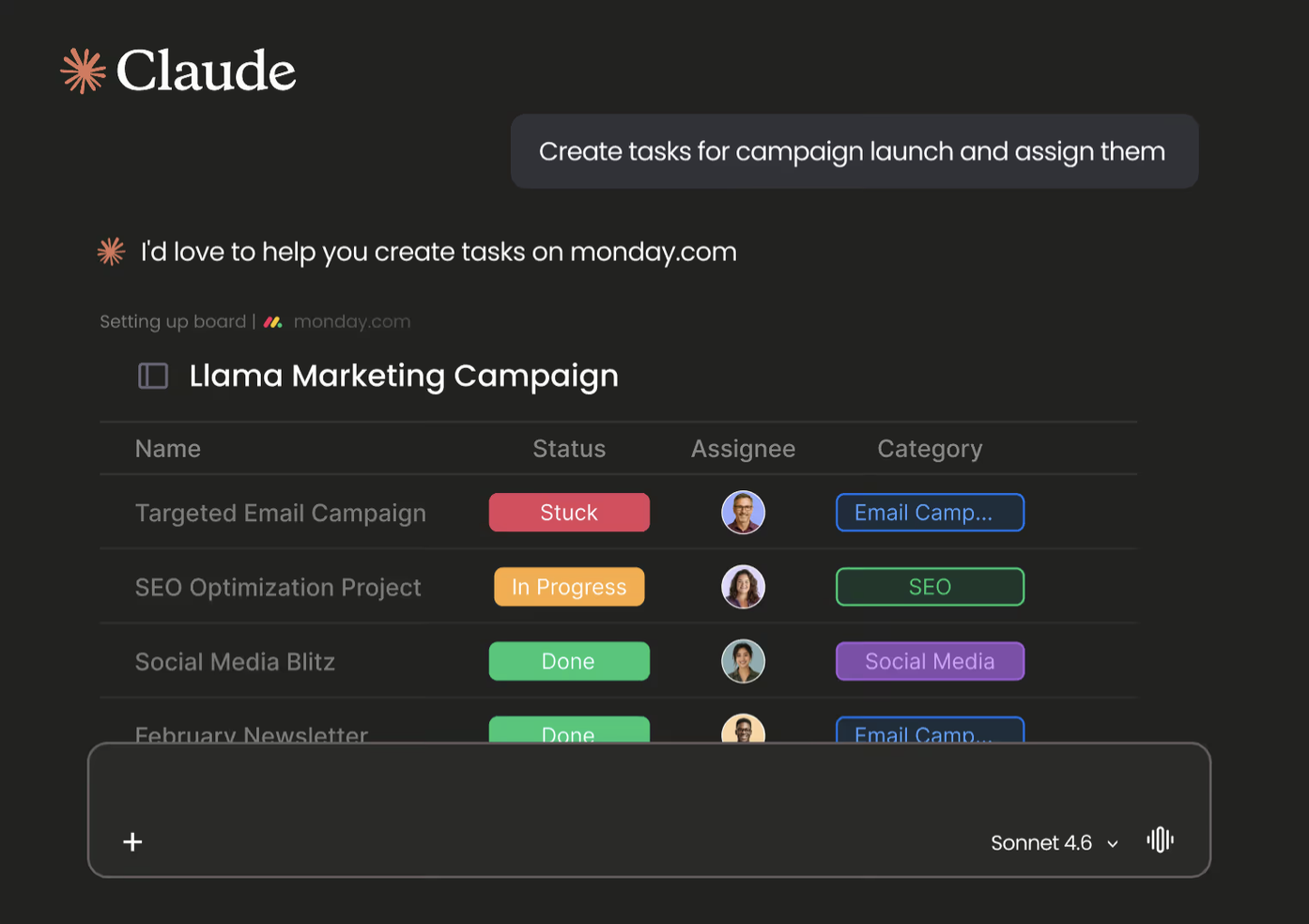
MCP stands for Model Context Protocol, an open standard introduced by Anthropic in November 2024 to give AI models a universal way to connect to external tools, data sources, and services. In monday.com’s case, that translates into something very concrete: a hosted MCP server, preinstalled on every account, that connects your workspace directly to AI assistants like Claude, Cursor, and Copilot Studio, respecting your existing monday.com permissions, so the AI only ever sees or changes what you’re individually authorized to access.
In practice, that means an external AI assistant can generate sprint summaries and performance reports, convert meeting notes into structured board items, and answer cross-team questions like “what’s blocking this launch”, all pulled live from your actual boards, not a stale export.
This probably matters more than any single monday.com native AI feature because it lets the tools you already use, Claude, Cursor, whatever comes next, reach into monday.com. And critically, it’s available on every plan at no additional cost, which makes monday’s 2026 pricing structure allow free access to the thing that arguably matters most.
MCP Business application
One workspace for every AI tool
Picture a marketing team running a product launch across a dozen boards: content calendar, ad campaigns, influencer outreach, budget tracking.
The designer building campaign visuals in Nano Banana pulls the brief, deadlines, and brand direction straight from the board. The marketer building the newsletter has Claude Code pull the same board data and generate newsletter HTML. The paid media manager uses Claude to generate ad variants while pulling budget caps, target audiences, and approved messaging directly from the boards and docs in monday.com.
At the end of the week, the team lead asks Claude to “pull together this week’s launch status across all our boards and draft the update for leadership.” No exporting CSVs, no copy-pasting between tabs or spreadsheets.
None of these tools talk to each other directly. What connects them is monday.com, quietly becoming the shared context layer they all pull from in real time and securely.
Conclusion
So, is monday.com still worth the price in 2026?
If you’re only measuring it against what it used to be, a well-designed board with a nice UI, then maybe not. You can find a cheaper task tracker. But that’s no longer really the product you’d be paying for.
What you’re actually buying into is infrastructure: a workspace that’s rebuilt itself around AI at every layer, from Sidekick and Vibe handling the work directly, to AI Blocks quietly automating what your team used to make by hand, to MCP turning the whole thing into the context layer every other AI tool in your stack can plug into securely and in real time.
The AI craze isn’t slowing down, and the tools your team relies on next year likely don’t exist yet. The real question isn’t whether monday.com is expensive today; it’s whether you’d rather be already plugged into that shift, or scrambling to catch up to it later. Priced that way, monday.com in 2026 looks less like a subscription you renew out of habit, and more like an investment in staying ready for whatever comes next.
Considering monday.com?
Since 2018, we’ve helped hundreds of companies and thousands of users across industries. What started as a love for the platform has grown into a team of 50+ experts who help organizations onboard, implement, and scale their business operations.
We are continuously learning, experimenting, and sharing insights that keep our clients and the monday community “ahead of the curve.”
If you’re exploring how AI could fit into your workflows, or just curious where to start, get in touch.