

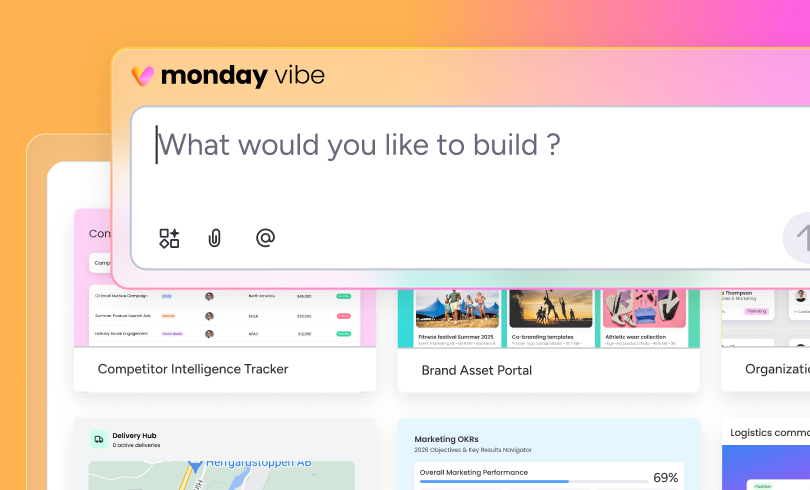
If you’ve ever wanted to build a custom app in monday.com without touching code, that’s what monday vibe is aiming for.
monday vibe lets you build custom internal apps in monday.com by describing what you want in plain language. Instead of traditional development, you talk through your needs, adjust as you go, and end up with something that works with your monday data.
This matters because most teams hit the same wall with software. The out-of-the-box setup gets you started, but it rarely matches how your business actually works or how you want to see your data. That’s when workarounds start piling up, developers get pulled in, or needed improvements get pushed off.
monday vibe is designed to close that gap. Instead of starting from scratch, you describe what you need, adjust it as you go, and build something more tailored right inside the platform you’re already using.
If you want the broader platform context first, our monday.com platform overview breaks down how monday.com is structured today and where newer AI capabilities fit.
What is monday vibe?
In plain terms, monday vibe is a no-code app builder built into monday.com.
It’s meant to bridge the gap between what standard monday.com is and what your team actually needs day-to-day. Maybe that’s a better intake portal, a cleaner project view, a custom reporting layer, a resource planner, or just a tool that makes one messy part of your workflow easier to manage.
That’s the real appeal. It lets teams build more specific solutions without turning them into full software projects.
How does monday vibe work?
In practice, monday vibe works like a chat-based app builder. It is part of the broader shift toward vibe coding, where apps are built by describing what you want in plain language instead of writing code.
You start by describing what you want in plain language. For example, you might say, “Build me a project intake portal that lets managers submit requests, routes them by team, and shows status by priority.” Vibe builds an app based on your prompt, and you keep refining it by telling it what to change, add, or fix.
What makes that more useful than a generic AI builder is the context. monday vibe works inside monday.com, so the app is being built in the same environment where your boards, items, teams, permissions, and workflows already live.
It also helps to think about monday vibe in more than one way. Sometimes it is used to build a custom layer on top of existing boards, such as a board view, an item view, or a full-page app connected to an existing workflow. Other times, it is used earlier in the process to help generate a new board(s) and shape the experience around it from the start.
That changes the value. You’re not building a disconnected tool just to have one. You’re creating something inside the system your team already uses every day, which makes adoption much more likely if the app solves a real problem.
Where can monday vibe be used?
One of the more useful things about monday vibe is that it is not limited to one kind of build. It can live in different places inside monday depending on what kind of experience you are trying to create and how closely it needs to sit to the work itself.
Building a workspace view
At the workspace level, monday vibe can bring together data from multiple boards into one shared experience. That makes it useful when the goal is broader visibility across teams, workflows, or departments rather than a better view into one specific board.
Building a board view
At the board level, monday vibe works more like a custom interface for one workflow. It can change how a team reviews, manages, or interacts with the data on that board without having to rebuild the workflow from scratch.
Building an item view
At the item level, monday vibe gets more specific. It can shape the experience to focus on one record at a time, using data from the selected item. That gives teams a more tailored way to review details, updates, ownership, and context inside a single project, request, deal, or ticket.
monday vibe can also work in more than one direction. In some cases, it is layered onto existing workflows. In others, it can help shape something new from the start by generating a new board and building the experience around it.
What can you build with monday vibe?
The point of monday vibe is not just to create custom views. It is to make work inside monday easier to manage, review, and act on.
For example, an operations team could build a cleaner intake experience that pulls requests into one place, routes them to the right owner, and gives leadership a clearer view of incoming work across multiple boards. Instead of stitching that together manually, they get a more usable layer on top of the process.
A sales team might use monday vibe to create a better deal review experience inside an existing pipeline. Rather than relying on the default board and item layout, they could surface account details, deal stage, recent activity, blockers, and next steps in a way that makes it easier for reps and managers to work through them.
For project or service teams, monday vibe can be useful at the item level. A team could build a custom view for a project, support ticket, or internal request that highlights the most important details, updates, and ownership in one place, without forcing users to dig through the standard layout to find what they need.
It can also help with broader reporting and planning. A team managing delivery across multiple workflows might use monday vibe to create a workspace-level view that brings together timelines, workload, and status across boards, making capacity issues and bottlenecks easier to spot early.
That is where monday vibe starts to feel practical. It is not just about building something custom because you can. Vibe coding in monday.com gives you better ways to interact with work inside monday.com when the default experience is not quite enough.
See monday vibe in action
Here’s monday’s product overview video if you want a quick visual walkthrough after reading the basics.